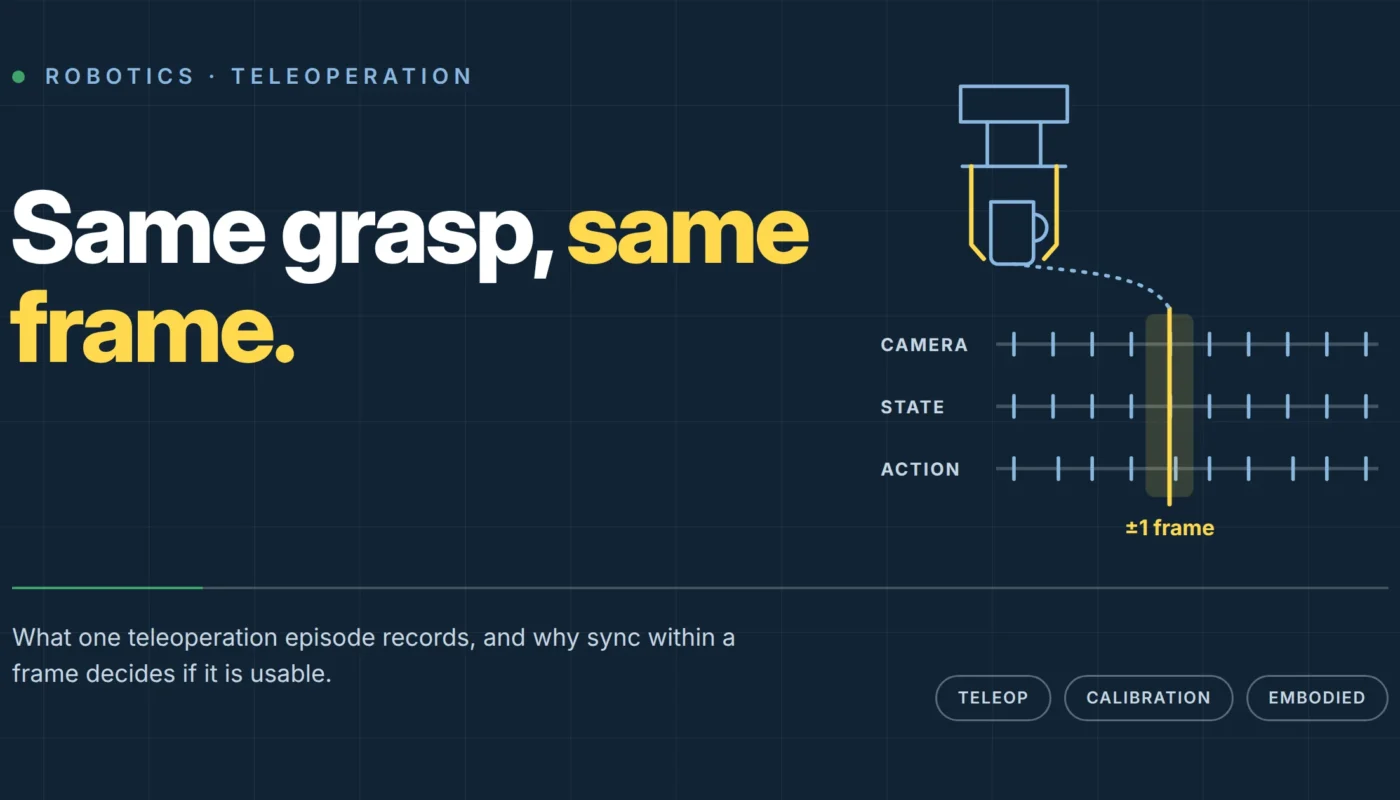
An operator reaches for a mug on a kitchen counter. A two-fingered gripper follows the movement, across the room or over a network connection. The operator controls the action. To train a policy from this episode, the recording must include the joint positions, gripper state and action commands, with timestamps that match them to the camera frames.
Video shows the mug being picked up. A teleoperation episode also records the robot commands that produced the grasp.
Video shows what happened; teleoperation records what was done
Perit’s egocentric video work records people completing tasks from a first-person view. There is no robot state or command stream, but the footage can show what successful execution looks like. UMI gripper capture adds gripper-relative motion without requiring a full robot in the loop.
In teleoperation, a person controls a robot or a robot-equivalent end-effector directly. The recorded actions are commands a policy can learn to predict. Perit delivers these demonstrations episode by episode, with synchronised camera streams.
What one episode actually contains
Each episode contains several streams recorded together:
- Camera streams: one or more views of the workspace, synchronised to each other and to everything below.
- State: the robot or end-effector’s own position and configuration at each moment: joint angles, gripper pose, whatever the rig reports about itself.
- Action: the command sent by the operator’s teleoperation input at that same moment, which is what a policy is ultimately trying to learn to predict.
- Depth, where the rig supports it: RGB-D, stereo or LiDAR capture, aligned per episode, adding a 3D geometry layer to the 2D camera view.
- Tactile, where the rig supports it: a contact and pressure stream synchronised alongside the video, for tasks where force matters as much as position.
A camera frame needs a matching action timestamp. A pressure spike needs a matching view of the contact. Without that alignment, the policy cannot reliably connect the command, the state and the result.
The one-frame rule
Perit’s Sync check requires streams to align within one frame, with monotonic timestamps across cameras, state and action logs. Converting that frame into milliseconds makes the tolerance easier to judge.
At 33 milliseconds, that budget is roughly six times tighter than the approximately 200 milliseconds a person takes to react to a visual stimulus. The comparison is only a reference for scale. The rig needs tight internal timing so a policy can associate a gripper command with the frame in which it happened.
Consider a pick-and-place task with roughly a two-second window for a successful gripper closure. The fingers must reach the object before closing and close soon enough to secure it.
A 150-millisecond drift shifts the action label by 7.5% of that two-second window. An unbuffered USB camera or an unsynchronised logging thread can introduce it. The recording may look normal while repeatedly pairing the command with an earlier or later frame.
Checking camera calibration
Depth and multi-camera rigs also need calibration records for each rig and session. Intrinsics describe the camera’s focal length, optical centre and lens distortion, allowing a pixel to be mapped to a ray in 3D space. Extrinsics locate and orient that camera relative to the rig or world, so the ray can be expressed in a shared coordinate frame.
Moving a rig, bumping a camera or adjusting a mount can invalidate the previous extrinsics. The video may still look normal while the resulting 3D coordinates carry a consistent offset. Check and log calibration for each session.
Where the episodes come from
Perit records teleoperation in mechanical and electronics workshops, repair benches and robotics labs, as well as kitchens, living rooms, offices, retail floors, warehouses and agricultural sites. Its embodied-data programme spans 2,500-plus screened contributors, more than 120 homes, shops and worksites, and over 40 cities. Published capacity across all embodied modalities is 200 capture hours a day.
Teams can use their own teleoperation hardware, including ALOHA-class arms. Bring Your Own Rig supplies crews, rooms and QA around the team’s hardware and protocol.
A BYOR scenario: A robotics team has a working leader-follower arm pair and a capture stack tuned to their own action space, but no pipeline for recruiting operators, running sessions across varied real-world sites, or QA-checking sync and calibration at volume. Rather than replicate that infrastructure, they ship the rig and protocol; Perit supplies the crews, the kitchens and workshops to run it in, and the same sync, calibration and privacy checks applied to every other episode on the bench.
The pilot for a rig nobody has run before
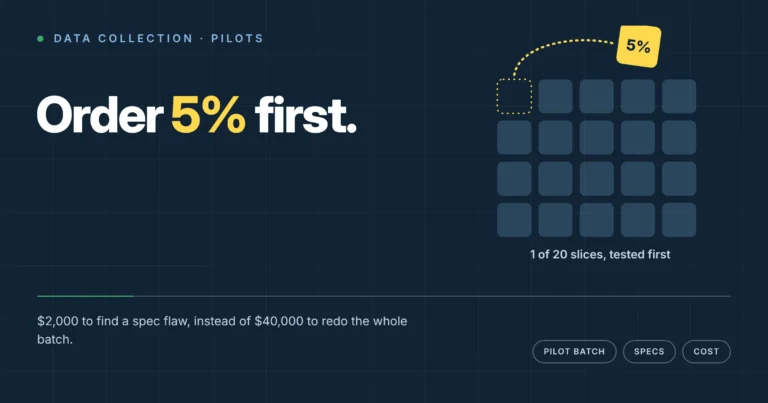
A new rig goes through the same four-phase pilot used for Perit’s physical-intelligence work. Before committing volume, the pilot checks whether the SOP produces clean sync, the task suits the arm, and calibration holds across a full session.
A useful brief names the object class, starting and ending states, failure definition and required streams. “Pick and place” alone leaves too much open. Ten to thirty pilot episodes give the team a chance to check timing across a real operator’s session and fix drift before the main order.
| Modality | What’s synchronised | Failure mode if sync breaks |
|---|---|---|
| Teleoperation | Camera, robot/end-effector state, action commands | Policy learns the wrong instant to act; grasp timing drifts systematically |
| Depth | RGB video and depth stream, per episode | 3D geometry misaligned with the visual frame it’s supposed to describe |
| Tactile | Video and pressure stream | Contact events attributed to the wrong moment in the task |
Tracing failures with episode metadata
Every episode needs valid environment, task, rig, operator ID, session and consent references. These records become useful when a trained policy behaves unexpectedly and the team needs to trace the examples behind it.
If a policy closes its gripper consistently early, operator and session IDs let you inspect the relevant slice of episodes. You can compare sessions, check for calibration drift and look for differences in grip technique. Without those records, the investigation starts with thousands of episodes and little way to narrow the search.
What ships at the end
The ten checks cover framing, exposure and focus, motion, sync, task compliance, duration, metadata, privacy, calibration, and label agreement where annotation was ordered. Failed episodes are re-shot or rejected without billing. For teleoperation, sync and calibration determine whether the policy can connect the recorded command to the right physical state.
Tell us the task, the room and the rig
Perit runs teleoperation, depth and tactile capture in kitchens, workshops, warehouses and client-defined sites across more than 40 cities. Use Perit’s rig or bring your own. See the full physical intelligence lineup or send a one-page brief to get a pilot scoped within 48 hours.